Getting Started with Snap Spectacles and Lens Studio
10:00 JSTThis is the first in a series of starter-project guides to help you hit the ground running at XR VisionDevCamp Fukuoka 2026. We’re starting with native platforms, and there’s no better on-ramp to wearable AR than Snap Spectacles with Lens Studio.
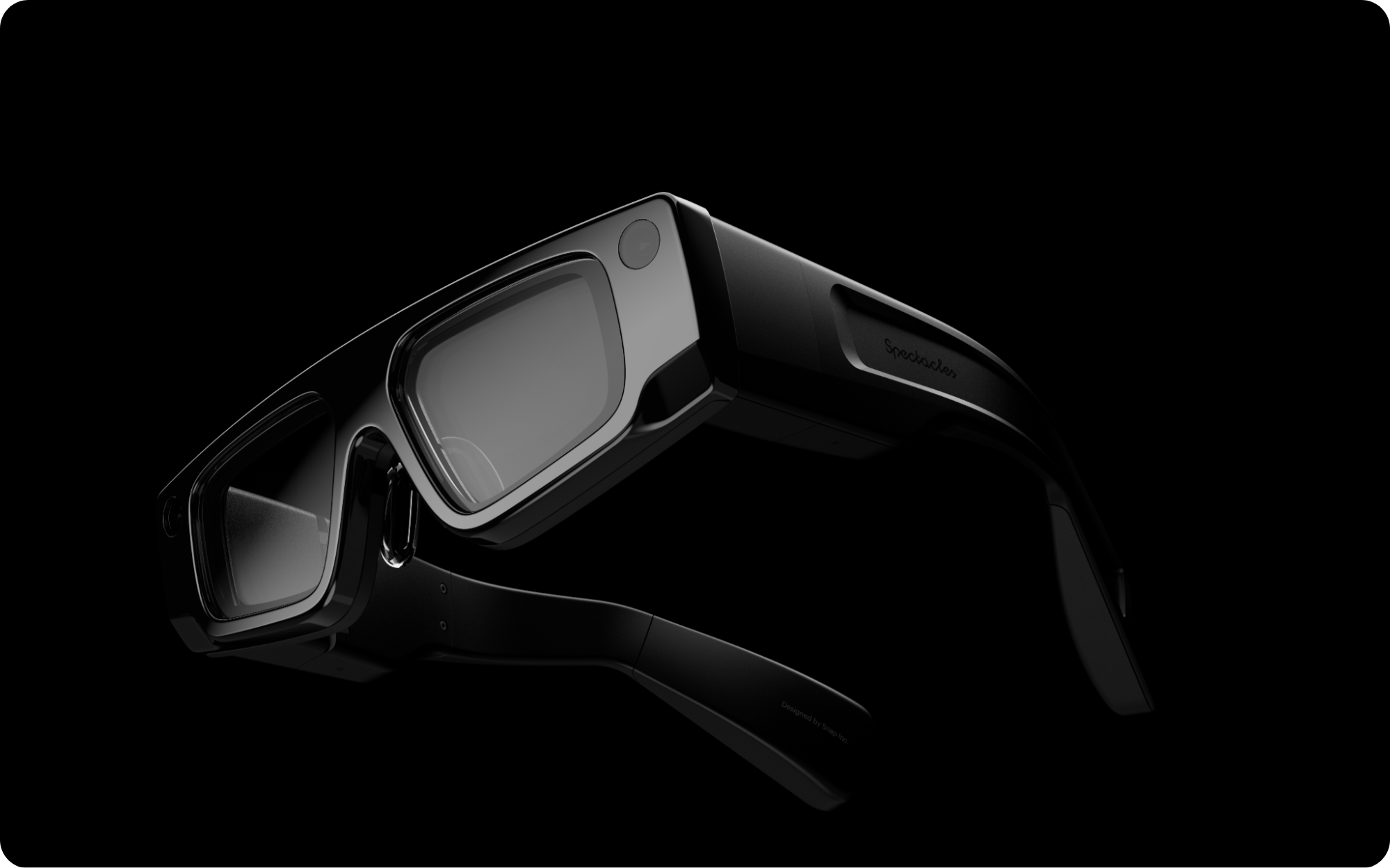
Spectacles are standalone AR glasses with hand tracking, world meshing, and on-device ML. Lenses are built in Lens Studio, Snap’s free authoring tool, using a visual scene editor plus TypeScript/JavaScript. For a 2.5-day hackathon, the fastest path to a working demo is to start from an official sample and remix it — so this guide covers the toolchain and walks through every sample in Snap’s reference repository.
Lens Studio is the native route, and the focus of this guide — but it is not the only way onto Spectacles. Since Snap OS 2.0, the glasses also run WebXR apps directly through the on-device Browser Lens (no Lens Studio required), in immersive-ar mode with hand tracking as the primary input. If your team prefers the web stack, that path is fully supported — see our A-Frame WebXR starter, which targets Spectacles alongside Quest 3 and Vision Pro.
Get Lens Studio
Lens Studio is a free download for macOS and Windows.
After installing:
- Sign in with a Snap account.
- Open the Spectacles project template, or any sample project (below), to get Spectacles-ready scene settings.
- Pair your Spectacles and use Send to Spectacles / the in-editor preview to test on-device. The Spectacles developer docs cover pairing, the developer program, and the full API reference.
Prerequisites: Git LFS
Snap’s sample repository stores 3D models, textures, and media with Git LFS (Large File Storage). Install and enable it before cloning, or the large assets won’t download:
# macOS
brew install git-lfs
git lfs install

# clone with LFS enabled
git clone https://github.com/Snapchat/Spectacles-Sample.git
cd Spectacles-Sample

# already cloned without LFS? fetch the binaries:
git lfs install && git lfs pull
Open any project folder directly in Lens Studio and start building.
The Spectacles Sample repository
All samples below live in one repo:
▸ github.com/Snapchat/Spectacles-Sample
Note: the repository’s README is marked deprecated — the projects still build and remain an excellent learning resource, but for ongoing support Snap now points to the specs-devs org and the r/Spectacles community.
Each card below links to the sample’s source folder; view demo GIF opens the full animated preview hosted on GitHub (these are large — they open in a new tab rather than loading inline).
Walk through the samples
AI
AI-powered experiences and integrations.
Agentic Playground
Advanced AI playground demonstrating agentic behaviors and autonomous interactions.
▸ view demo GIFDepth Cache
Cache depth frames for pixel-to-3D projection with cloud-based vision models.
▸ view demo GIFAI Music Gen
Generate AI music with Google's Lyria model — combine genres, vibes and instruments with 3D visualizations.
▸ view demo GIFGetting Started
Essential projects to get you started with Spectacles development — the best place to begin for the hackathon.
Public Speaker
Teleprompter Lens for public speaking practice and presentation delivery.
▸ view demo GIFSpectacles Mobile Kit
SDK for seamless communication between mobile apps and Lenses running on Spectacles via BLE.
▸ view demo GIFDJ Specs
Interactive DJ turntable with realistic vinyl physics and multi-track audio mixing.
▸ view demo GIFSnapML
Machine-learning projects using SnapML.
SnapML Starter
Leverage SnapML on Spectacles for object detection using custom ML models.
▸ view demo GIFSnapML Chess Hints
AI-powered chess move suggestions using computer vision and SnapML to detect pieces.
▸ view demo GIFNavigation
Location-based and navigation experiences.
Custom Locations
Map real-life areas and create AR experiences anchored to those locations.
▸ view demo GIFOutdoor Navigation
Outdoor navigation system using the Map Component and Places API.
▸ view demo GIFConnected Lenses
Multi-user collaborative experiences.
Laser Pointer
Create laser pointers on a virtual object that are visible to all connected users.
▸ view demo GIFThink Out Loud
Social AR networking app with floating status panels and real-time connections.
▸ view demo GIFSpectacles Sync Kit
Minimal example of Spectacles Sync Kit transform synchronization across Connected Lenses.
▸ view demo GIFSnap Cloud
Cloud-powered experiences using Snap Cloud (powered by Supabase).
Snap Cloud
Database, real-time sync, cloud storage and serverless functions via Snap Cloud.
▸ view demo GIFWorld Kindness Day
Snap Cloud integration with real-time database updates and a companion web app.
▸ view demo GIFBLE (Bluetooth Low Energy)
Bluetooth Low Energy connectivity projects.
BLE Playground
General BLE playground for experimenting with Bluetooth Low Energy on Spectacles.
▸ view demo GIFBLE Game Controller
Interactive 3D character driven by a Bluetooth game controller with haptic feedback.
▸ view demo GIFRecommended starting points for the hackathon
If you’ve never opened Lens Studio before, start in the Getting Started category:
- Essentials — the foundational concepts (interaction, physics, animation, raycast) in one project. Best first stop.
- Fetch — call any web API from a Lens; the basis for anything cloud- or AI-powered.
- Spatial Image Gallery / Throw Lab — small, self-contained scenes that are easy to reskin into a demo.
From there, pick the category that matches your idea — AI (Remote Service Gateway, LLM, vision), Connected Lenses (multiplayer), SnapML (custom on-device models), or Navigation (location AR).
Useful links
- Lens Studio download
- Spectacles developer documentation
- Spatial design guidelines
- Spectacles-Sample repository
- Hackathon details — eligibility, team formation, AI policy
- Register on Luma
Next in the native-platform series: another headset and its starter projects. Questions? Reach us via the Contact page.